
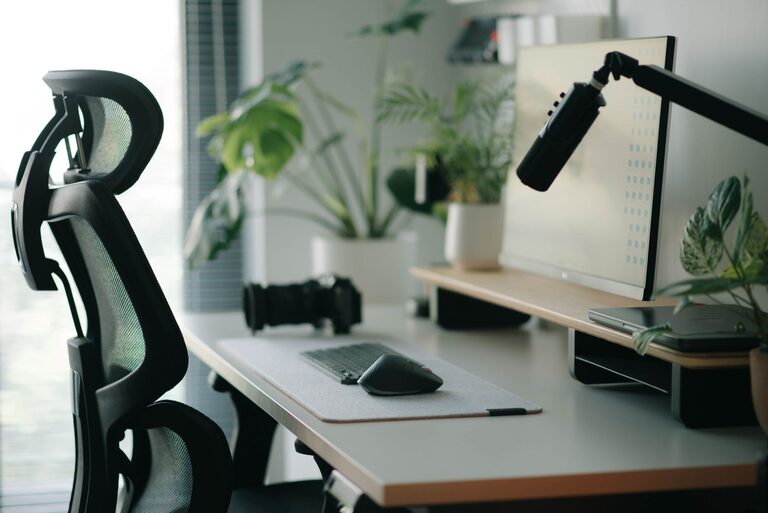
Setting up your desk for both focus and comfort can make a significant difference in your productivity and overall well-being. Whether you work from home or in an office, a thoughtfully arranged workspace helps reduce distractions, prevent discomfort, and keep you motivated throughout the day. In this post, we’ll explore practical tips to optimize your desk setup for better concentration and physical comfort.
Why Your Desk Setup Matters
Your desk isn’t just a place to put your computer—it’s where you spend a large portion of your day working, learning, or creating. An effective desk setup helps:
– Reduce physical strain, preventing aches and pains
– Minimize distractions to maintain focus
– Encourage better posture and healthy habits
– Keep necessary items within easy reach to save time
– Create a pleasant environment that boosts mood and motivation
Ergonomic Principles for Comfort
Comfort starts with ergonomics, which is the study of designing workspaces that fit the user’s needs. A few key points include:
1. Chair and Desk Height
Adjust your chair so your feet rest flat on the floor or on a footrest, and your knees are at a 90-degree angle. Your desk height should allow your elbows to be close to your body and bent between 90 and 120 degrees when typing or using a mouse.
2. Monitor Position
Place your monitor at eye level, about 20 to 30 inches (an arm’s length) away. This reduces neck strain and eye fatigue. If you use multiple screens, position them so your head can stay centered.
3. Keyboard and Mouse Placement
Keep your keyboard and mouse close enough to avoid overreaching. Your wrists should be straight and aligned with your forearms. Consider using a wrist rest to support your hands.
4. Use Supportive Accessories
An adjustable chair with lumbar support, a footrest, or a monitor riser can enhance comfort and posture. Pay attention to how your body feels throughout the day and make adjustments as needed.
Organizing Your Desk for Focus
A cluttered desk can lead to a cluttered mind. Here are some ideas to keep your workspace tidy and distraction-free:
1. Declutter Regularly
Keep only essential items on your desk. Store documents, office supplies, and personal items elsewhere. Regularly clean and organize to maintain order.
2. Use Storage Solutions
Drawers, shelves, and organizers help keep supplies neat and accessible. Label containers or drawers if that helps you find things quickly.
3. Manage Cables
Tidy cords with clips, ties, or under-desk trays. A clean, cable-free surface looks better and reduces tripping hazards.
4. Assign Zones
Create specific areas for different tasks, like a writing zone, computer area, and supply station. This helps the brain associate spaces with activities, boosting focus.
Lighting and Ambience
Lighting plays a big role in comfort and productivity:
– Use natural light when possible, but avoid glare on your screen
– Supplement with adjustable desk lamps for focused lighting
– Choose bulbs with neutral or cool white tones to reduce eye strain
– Keep your workspace well-ventilated and at a comfortable temperature
Adding plants or personal touches can also improve your mood and creativity but keep them minimal to avoid clutter.
Incorporate Movement and Breaks
Even with a perfect desk setup, sitting for long periods can be harmful. Remember to:
– Stand up and stretch every 30-60 minutes
– Use a sit-stand desk or adjustable workstation if possible
– Perform simple neck, shoulder, and wrist exercises at your desk
– Consider a balance ball chair or footrest to encourage subtle movement
Technology Tips for Focus
Your tools should support, not distract:
– Use apps or extensions to block distracting websites during work hours
– Keep notifications to a minimum to avoid interruptions
– Set regular reminders to take short breaks and hydrate
– Use headphones or white noise if your environment is noisy
Personalizing Your Space
While keeping clutter low, adding a few personal elements can make your desk inviting:
– A favorite photo or small piece of art
– A comfortable cushion or wrist pad
– A soothing scent like a subtle candle or essential oil diffuser
Just be mindful not to overdo it and create distractions.
Summary Checklist for an Ideal Desk Setup
– Ergonomic chair with proper height and lumbar support
– Monitor at eye level, arm’s length away
– Keyboard and mouse placed for neutral wrist position
– Tidy desk with minimal clutter and organized storage
– Good lighting, preferably natural with task lamps
– Cable management to keep wires neat
– Zone areas for different tasks
– Personal touches that inspire without distracting
– Incorporate regular movement and breaks
– Use technology mindfully to support focus
By applying these desk setup tips, you can enjoy a comfortable, efficient workspace that helps you stay focused and productive all day long. Take time to adjust and personalize your setup—it’s an investment in your comfort and success.
